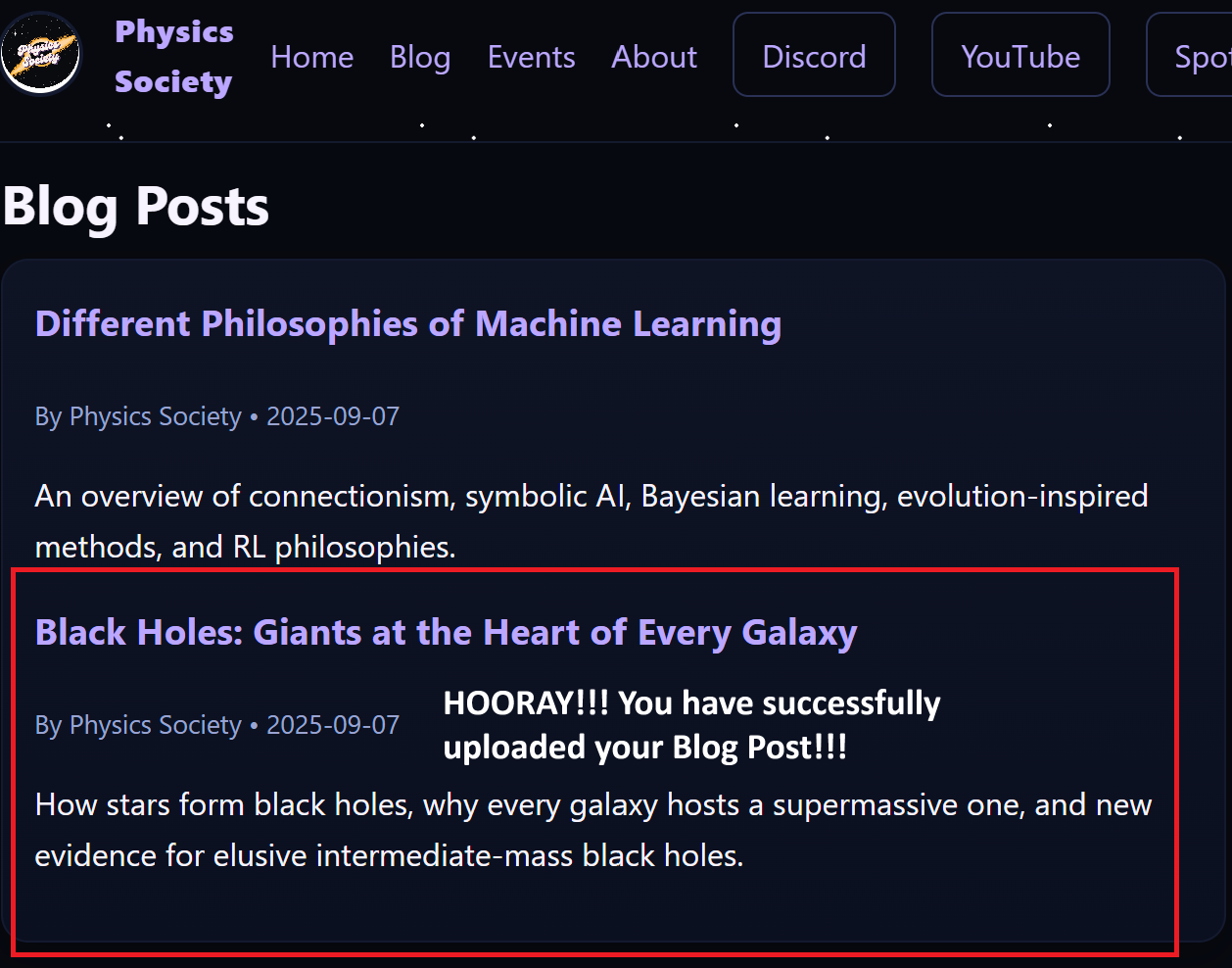
How to Publish a Blog Post
This is a step-by-step guide for anyone (no coding required!) to add their own blog post to the Physics Society website. Every step has a place for screenshots so that anyone can follow along visually.
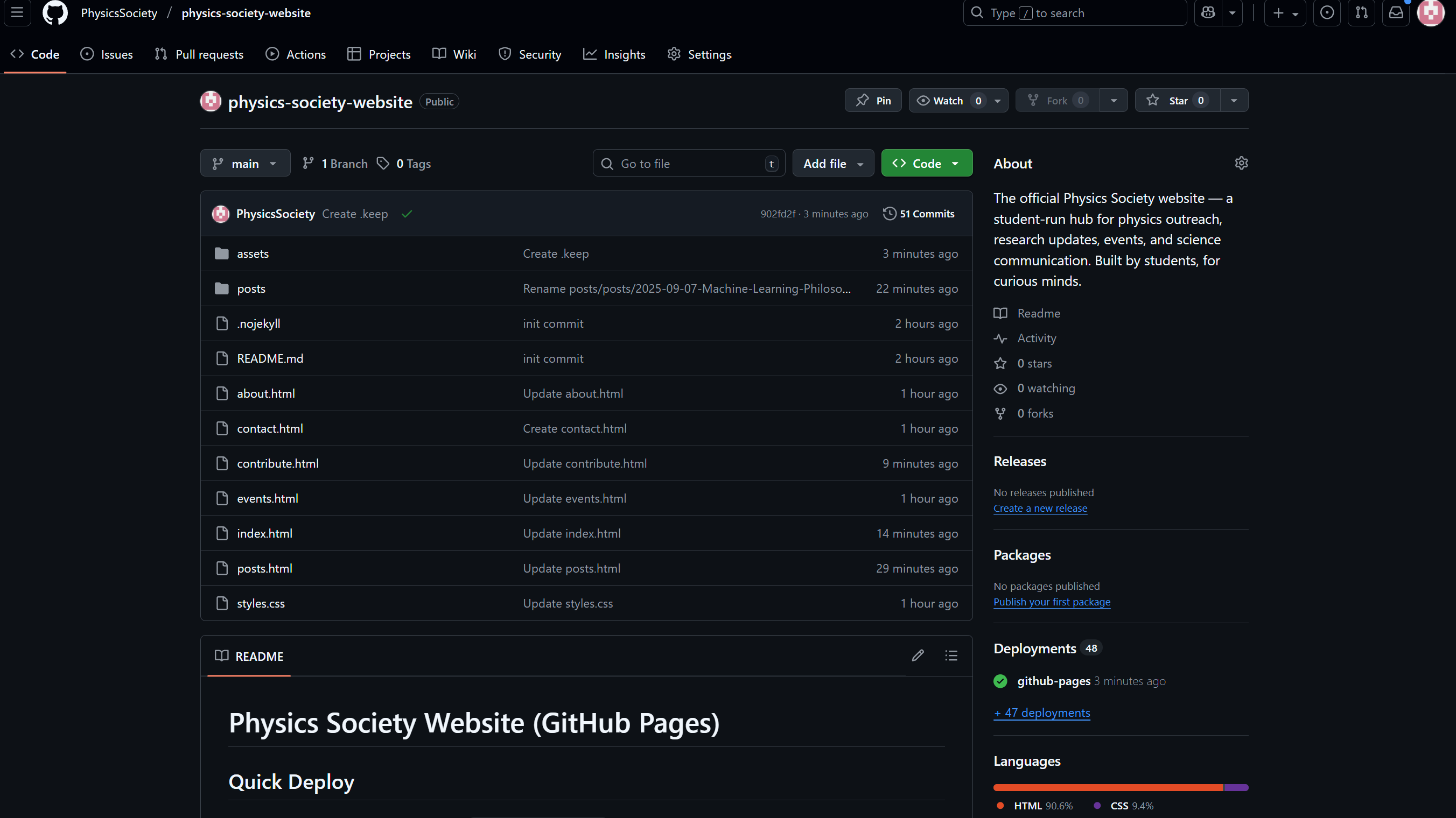
1) Open the Repository
- Go to our GitHub repository.
- Click the posts folder to view all existing blog posts.
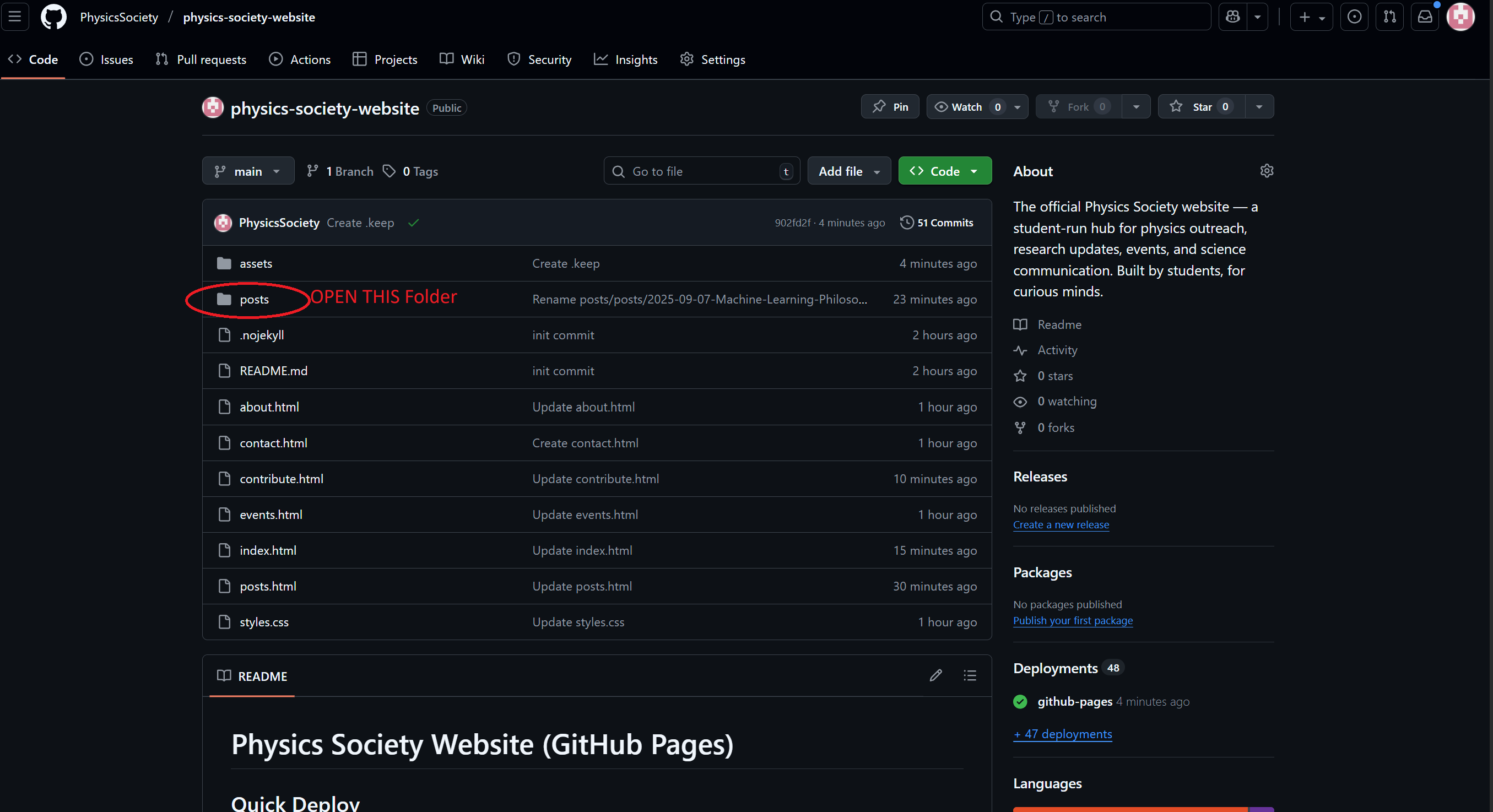
2) Create a New File
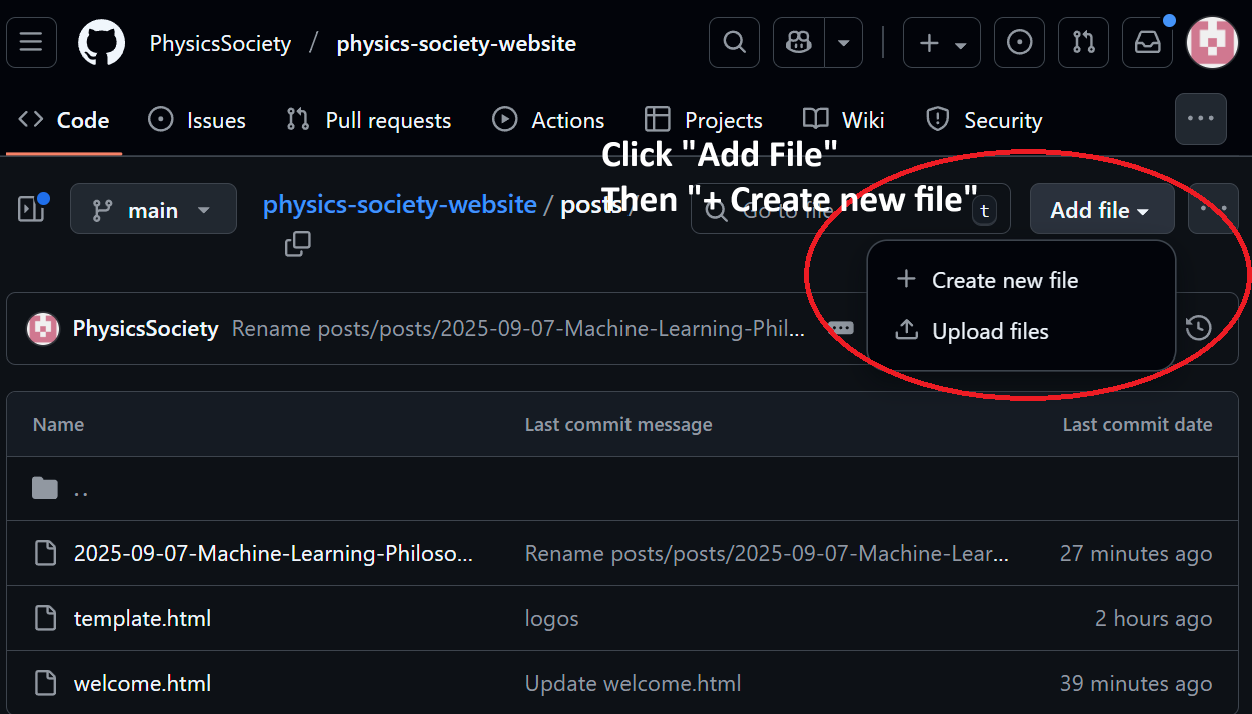
- Click Add file → Create new file.
- Name your file like this:
posts/YYYY-MM-DD-your-title.html
Example:posts/2025-09-07-quantum-post.html
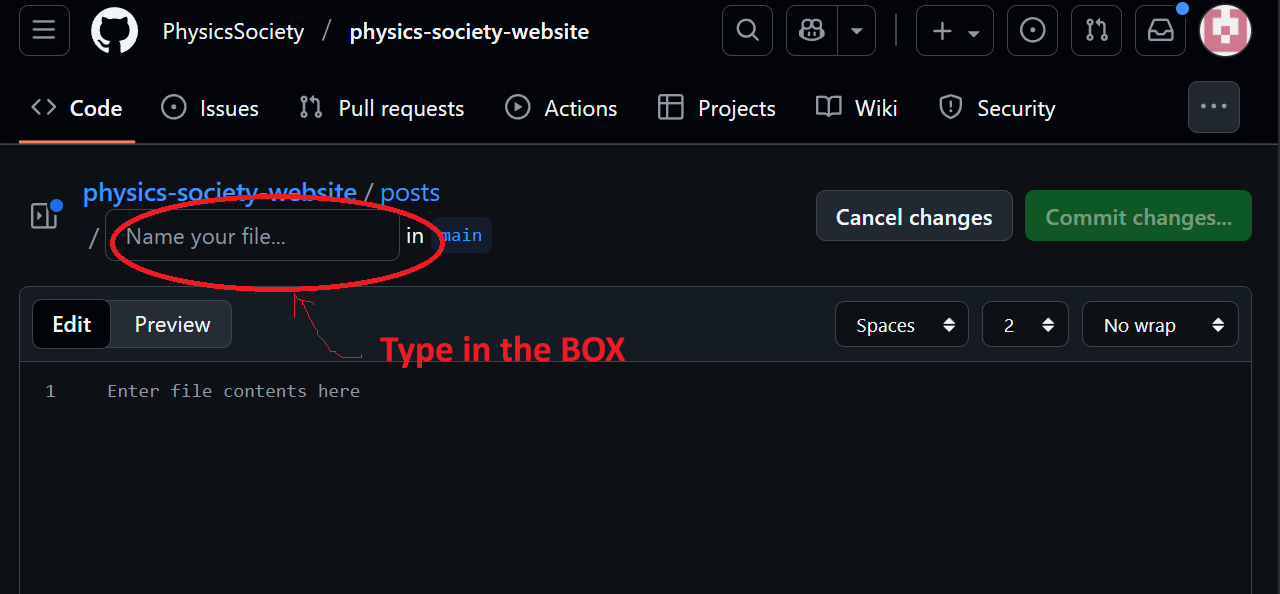
3) Paste the Template and Edit
Paste the full template below into your new file. Update the title, date, and author. Then write your content below the <hr> tag.
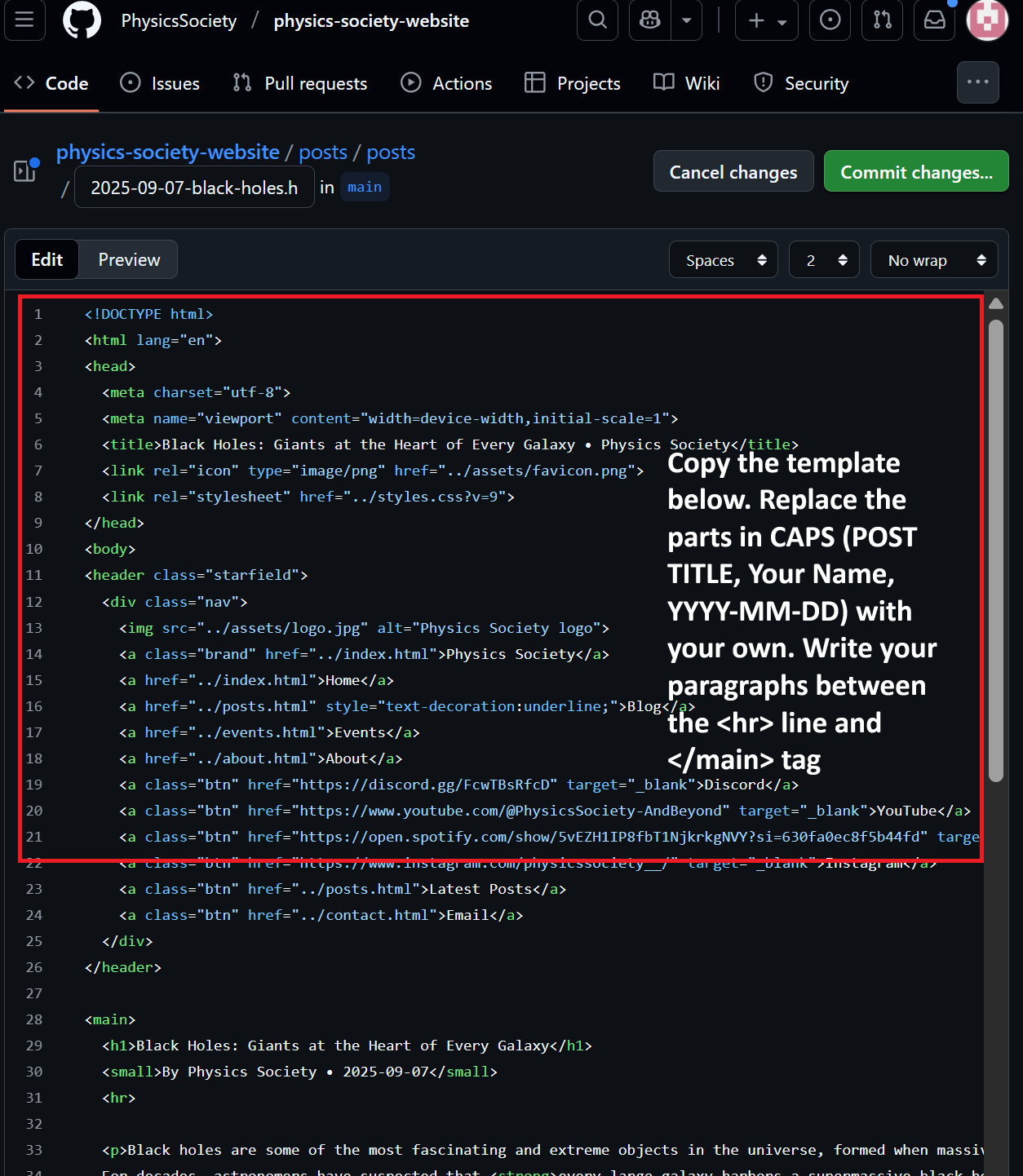
<!DOCTYPE html>
<html lang="en">
<head>
  <meta charset="utf-8">
  <meta name="viewport" content="width=device-width,initial-scale=1">
  <title>POST TITLE • Physics Society</title>
  <link rel="icon" type="image/png" href="../assets/favicon.png">
  <link rel="stylesheet" href="../styles.css?v=9">
</head>
<body>
<header class="starfield">...nav here...</header>

<main>
  <h1>POST TITLE</h1>
  <small>Your Name • YYYY-MM-DD</small>
  <hr>

  <p>Write your content here. Break it into paragraphs. You can use <h2>Subheadings</h2>.</p>

  <!-- Example image
  <img src="../assets/your-image.png" alt="Description" style="max-width:100%;border-radius:8px;">
  -->

</main>

<footer>
  <div class="wrap">
    <small>© Physics Society • <a href="mailto:physicsociety2025@gmail.com">physicsociety2025@gmail.com</a></small>
  </div>
</footer>
</body>
</html>
4) Commit the File
Scroll to the bottom of the page and click Commit changes. Wait ~1 minute for GitHub Pages to update.
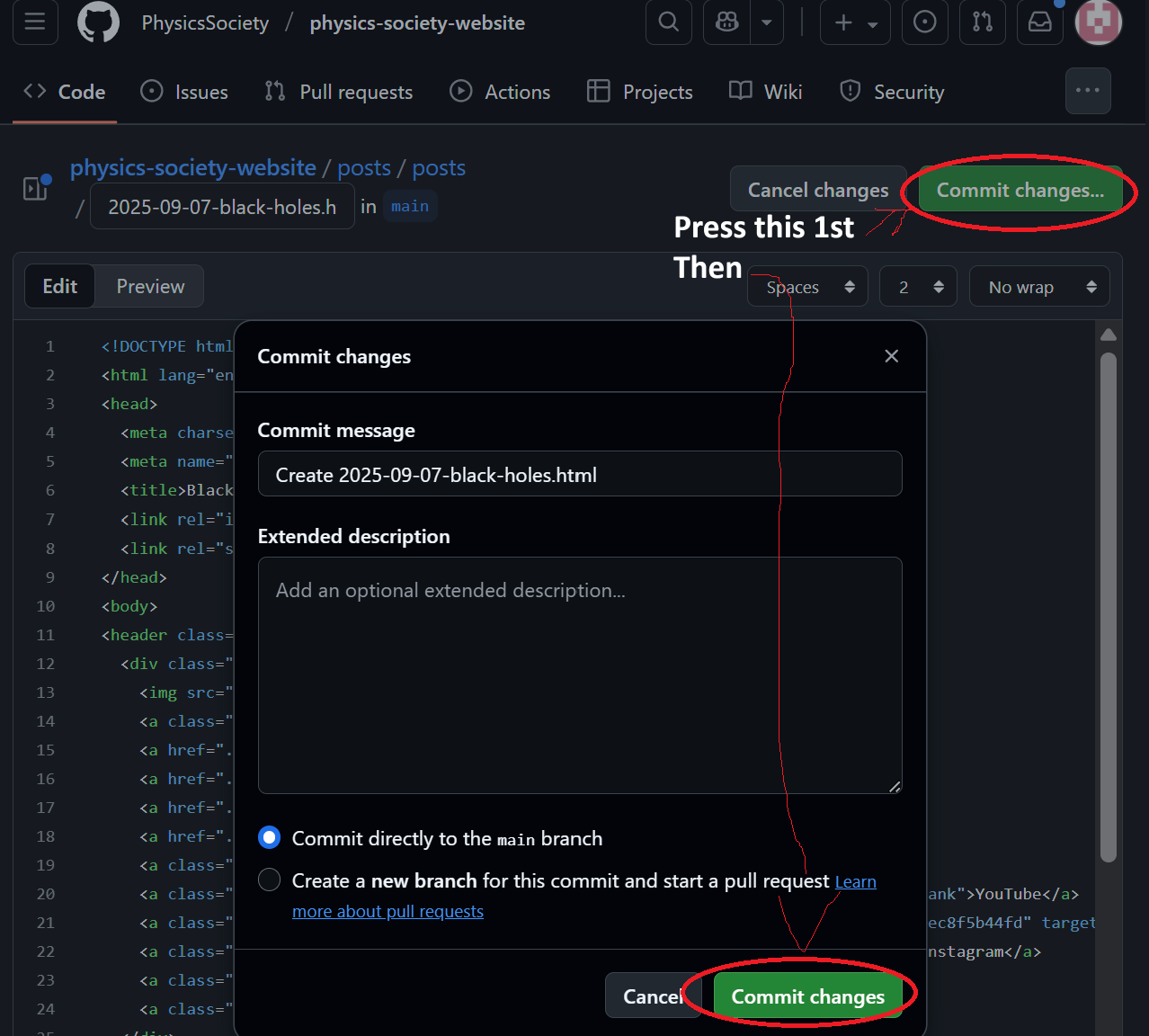
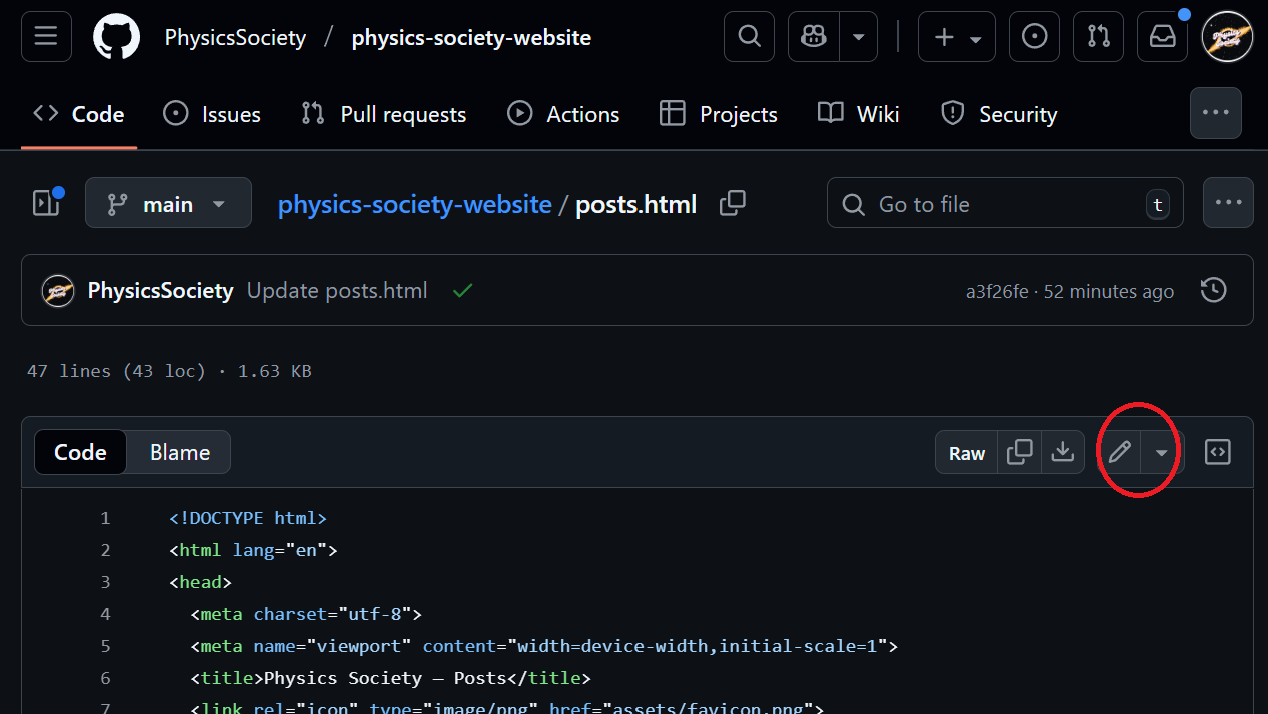
5) Add Your Post to the Blog Listing
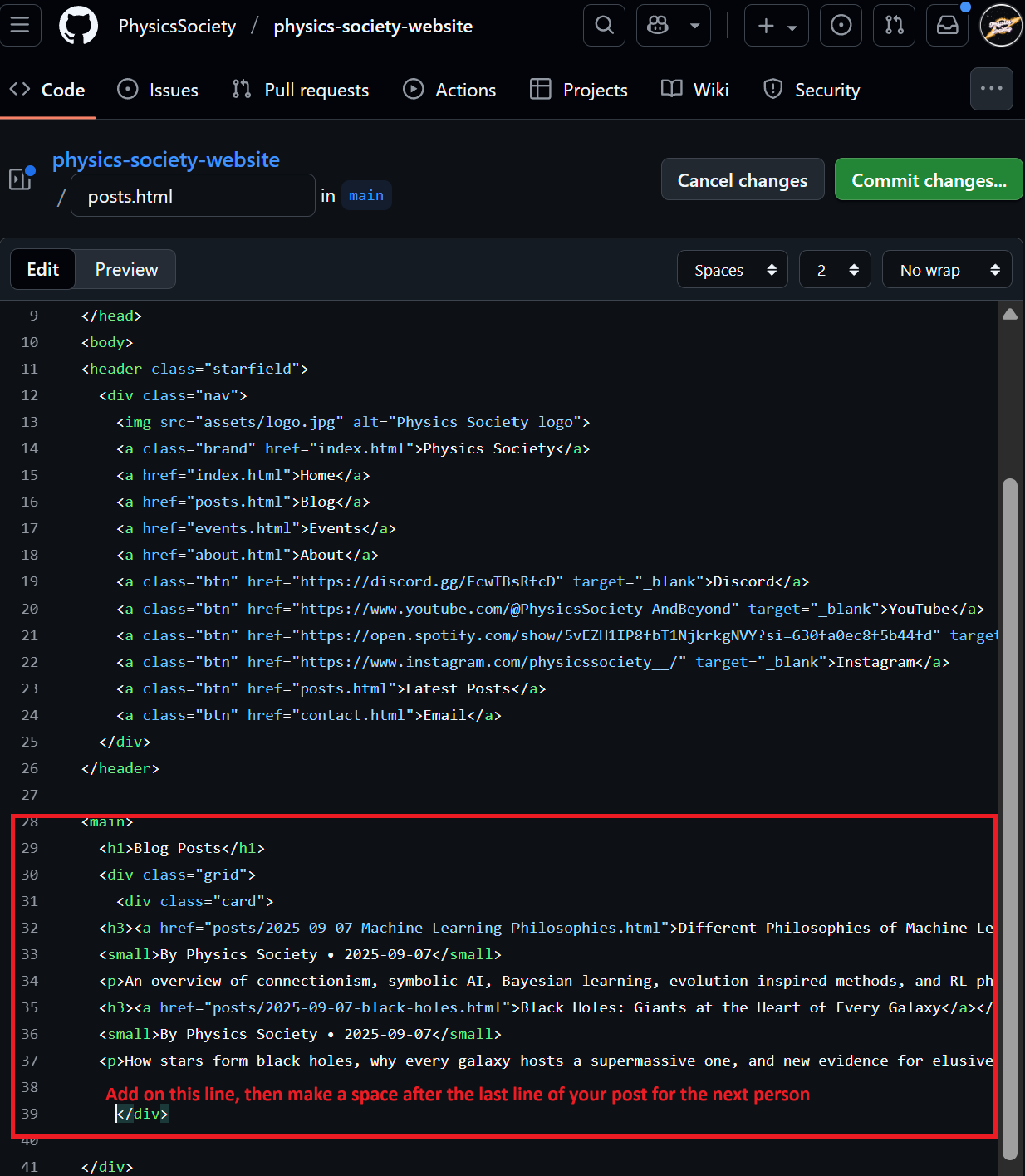
- Open
posts.htmlin the root folder. - Find the
<div class="grid">section. - Copy one of the existing cards and replace it with your info:
<div class="card">
  <h3><a href="posts/2025-09-07-quantum-post.html">Quantum Rumors: What's Real?</a></h3>
  <small>By Your Name • 2025-09-07</small>
  <p>A one-line summary of your post here.</p>
</div>
6) Add Images (Optional)
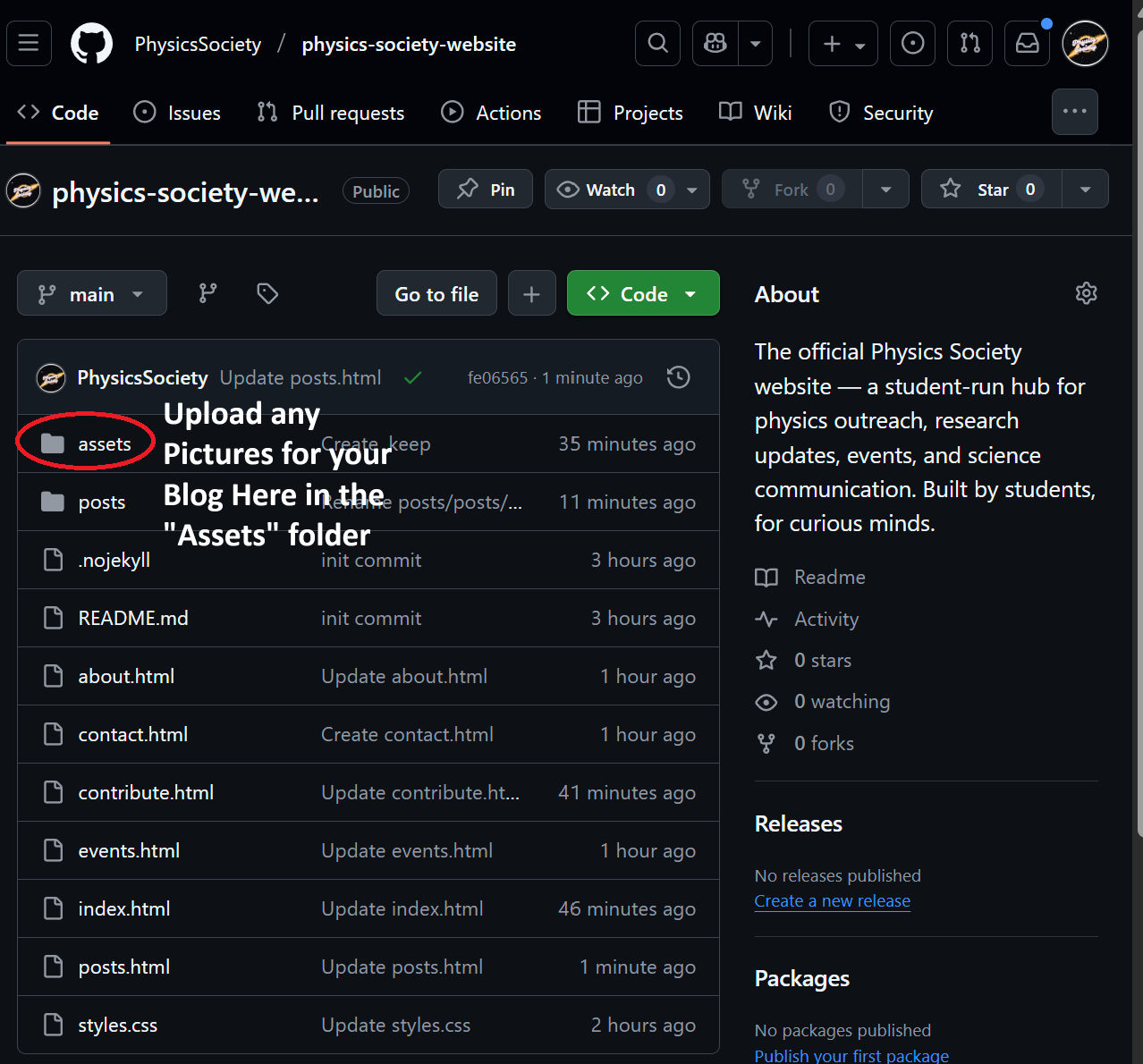
- Open the
assets/folder → click Upload files. - Upload your images. Use descriptive names like
quantum-chip.jpg. - Use images in your post like this:
<img src="../assets/quantum-chip.jpg" alt="Quantum chip" style="max-width:100%;border-radius:8px;">
7) Check Your Post Live
Open your post in the browser using its filename:
https://physicssociety.github.io/physics-society-website/posts/2025-09-07-quantum-post.html